myeon
A minimalist, spatial TUI Kanban
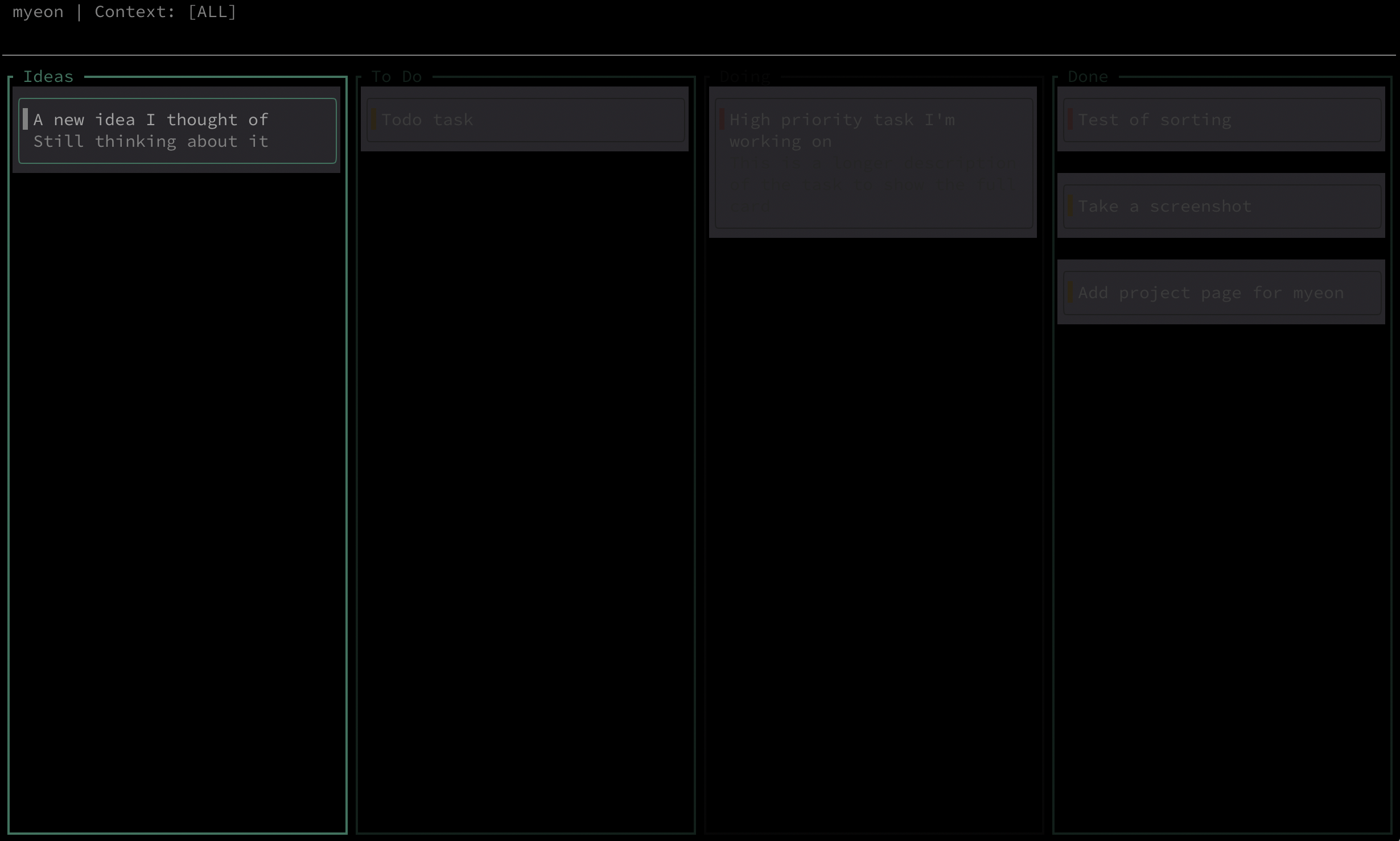
Overview
myeon is a minimalist, keyboard-driven TUI (Terminal User Interface) Kanban board built in Rust. As the desktop companion to the ilseon ecosystem, it provides a low-sensory environment for triaging ideas and mapping your executive landscape.
Perspective vs. Execution
In the ilseon philosophy, focus is a finite resource. I distinguish between two mental states:
- Execution: Walking the path of a single priority. This is handled by the ilseon mobile app.
- Perspective: Mapping the territory and deciding which paths are worth taking. This is myeon.
By separating “Planning” from “Doing,” myeon helps neurodivergent users avoid the task paralysis that often comes from seeing a massive “Big Picture” while trying to work on a small, immediate task.
Features for Stillness
The Idea Inbox
New tasks default to the Idea Column. This creates a low-pressure inbox where you can offload mental noise without the immediate executive demand of setting a deadline or priority.
WIP (Work In Progress)
To prevent burnout and cognitive overload, the Doing column has a hard-coded WIP limit. If more than three tasks enter your “First Line,” the column border blushes with a non-intrusive Muted Red warning.
Context Tunneling
Using the c key, you can instantly filter your entire board by context (e.g. Work, Personal, Study). If a task isn’t relevant to your current mental “tunnel,” it disappears from view.
Shared Stillness Palette
myeon uses the exact same colour DNA as ilseon:
- Background: DarkGrey
- Active Focus: MutedTeal
- Urgency: MutedRed
Keyboard Flow
Designed for speed and “muscle memory” to keep your hands on the keys and your mind in the zone.
| Key | Action | Mental Benefit |
|---|---|---|
a |
Add | Instant offloading of a thought. |
h / l |
Shift | Move between Idea, To Do, Doing, and Done. |
j / k |
Scan | Navigate through tasks in a column. |
Enter |
Commit | Move a task to the next stage of flow. |
Backspace |
Un-commit | Move a task backwards one stage. |
c |
Context | Filter out the noise of unrelated projects. |
d / e |
Clean | Delete or edit to maintain a tidy landscape. |
Technology used
- Language: Written in Rust for lightning-fast performance and memory safety.
- Engine: Powered by Ratatui, the gold standard for modern terminal TUIs.
- Privacy: Local-first. Your tasks are stored in a human-readable
tasks.jsonon your machine. - Distribution: Self-updating binary via GitHub Releases and
cargo install myeonvia crates.io
The ilseon Umbrella
ilseon (Mobile): High-speed capture and single-priority execution on the go.
myeon (TUI): Desktop triage and spatial visualisation.