hedit: the editor I wanted, built in my own language
26 Sep 2026I have been building hica through examples, tests, and increasingly larger programs. At some point that stopped being enough. though. I wanted a program I would use daily and often – an editor!
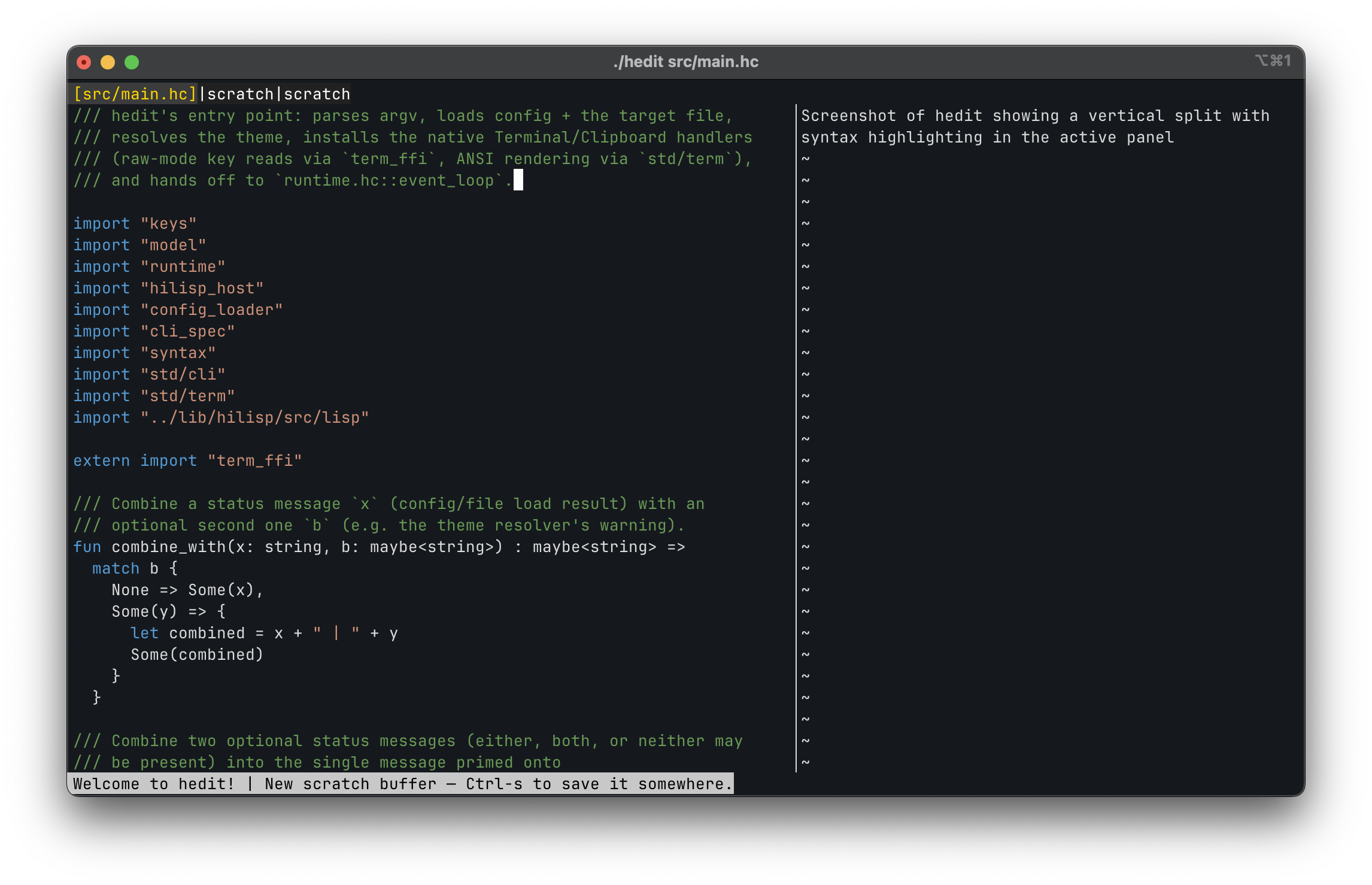
That became hedit, a terminal editor written in hica. It started as a test of user-defined algebraic effects. Then I kept adding things: familiar keyboard navigation, split panes, mouse support, multiple cursors, syntax highlighting, a visual undo tree, crash recovery, and a command palette.
Why an editor?
An editor looks simple until you try to build one… Every keystroke touches input handling, state, rendering, undo history, and eventually the file system. Add split panes and a mouse and even the question “where is the cursor?” becomes tricky.
It was a great challenge, the kind of pressure I wanted to put on hica. Rebuilding the whole editor state on every keystroke sounds expensive, but mutating shared state would make the core much harder to reason about. hica keeps the values immutable while Koka’s Perceus reference counting lets the runtime reuse uniquely owned values in place. I get functional core logic without copying everything or adding a garbage collector.
And I always wanted to build my own editor; now I have one, in my own language!
One event loop, two handlers
The event loop is the centrepiece in hedit. I wanted to test editing, navigation, and rendering without opening a terminal. But I also wanted the tests to run the same loop as the real editor, not a simplified version built for testing.
The central path is small:
Event -> Action -> EditorState
An input event is resolved through the active keybindings into an action. Pure functions apply that action and return the next editor state. Inserting text, moving cursors, switching buffers, and changing pane focus need no terminal at all.
Rendering and input are the impure parts. I put that boundary behind a user-defined Terminal effect:
effect Terminal {
  fun poll_event() : Event
  fun render_frame(buf: ScreenBuffer)
  fun get_dimensions() : (int, int)
  fun set_cursor_style(style: CursorStyle)
}
Read more about hica’s user-facing effects
The real handler speaks ANSI and reads from the terminal. The test handler has a scripted event queue, a fixed screen size, and somewhere to collect rendered frames. Both run the same event loop.
Clipboard support created the same problem. The real editor needs pbcopy/pbpaste, Wayland tools, or X11 tools, but I did not want any of them near the tests. A second handler gives the tests an in-memory clipboard without changing the editor code.
Undo history was a little different because every buffer needs its own history. Each buffer gets a named Buffer effect instance containing its revision tree. The text remains a regular value in EditorState, while the handler owns the history graph. Two buffers cannot accidentally end up sharing an undo stack.
From undo stack to undo tree
Most editors present undo and redo as a line. If you undo several changes and then type something new, the old redo path disappears 😱
hedit keeps it using a tree so users can pick what to undo safely.
Each edit creates an immutable revision node. Editing after an undo creates a sibling branch instead of deleting history. Meta-t opens a full-screen tree where I can navigate revisions and preview the buffer before choosing one.
● 18  42 lines  pub fun event_loop...
╰─○ 19  43 lines  pub fun event_loop...
  ├─○ 20  44 lines  pub fun event_loop...
  ╰─○ 21  43 lines  pub fun event_loop...
Each node holds a complete TextBuffer snapshot. My first thinking was that this would be wasteful, but unchanged lines and strings are shared between revisions and Perceus can reuse uniquely owned structures. I avoid a custom diff format, and moving between revisions is immediate.
Configuration in a language built in the language
I did not want editor configuration to become a collection of one-off parsers. hedit embeds HiLisp, a small Lisp interpreter written in hica, as its configuration and plugin language.
;; ~/.config/hedit/init.hl
(set "tabsize" 4)
(set "theme" "ilseon")

(bind "Ctrl-s" 'save)
(bind "Meta-w" 'close-buffer)

(plugin "session-stats")
Plugins use the same interpreter. They can subscribe to lifecycle hooks such as buffer-open, pre-save, and pre-action, return a status message, or cancel an action where cancellation is safe. A broken plugin is reported and skipped rather than taking down the editor.
So the editor is written in hica and configured with a Lisp that is also written in hica. I’m buiding my own ecosystem around hica!
Adding features and growing the design
The first version only needed to insert text and quit. Building in small milestones let the architecture grow under pressure from actual features rather than a complete editor framework imagined in advance.
Split panes forced buffer identity and geometry to become explicit. Mouse support forced the renderer’s screen coordinates to have a reliable inverse back to buffer positions. Multiple cursors forced every text mutation to account for offset drift, so edits are applied from the bottom-right of the document toward the top-left. Session recovery forced the full working state, including dirty scratch buffers and pane layouts, into a human-readable snapshot format.
The command palette now exposes editor actions by name and can temporarily leave raw terminal mode to run shell commands. The syntax highlighter remains intentionally modest: a fast line-by-line lexer for hica and Koka source rather than a general parsing framework.
And yes – I use TBD and tbdflow when developing hedit!
What hedit means for hica
hedit has become one of the projects I use to decide whether hica is actually improving. It exercises algebraic effects, named handlers, ADTs, structural updates, C FFI, effect inference, native compilation, and an embedded interpreter in one application.
It has also found compiler bugs that isolated examples did not. Terminal input exposed FFI details. Recursive editor data structures stressed optimisation. Multi-line generated expressions found layout and code-generation problems. Plugins exercised cross-module effect propagation and long-lived interpreter state.
That was the primary goal of building a tool I use daily. In fact, this post was written inside hedit 🚀
Try it
Install the latest pre-built release with:
hicurl https://github.com/cladam/hedit/releases/latest/download/install.sh | sh
Or, if you haven’t tried hicurl yet…
curl -fsSL https://github.com/cladam/hedit/releases/latest/download/install.sh | sh
Binaries are available for macOS ARM64 and Linux ARM64/x86_64. The installer also includes the hedit(1) man page.
- hedit source - MIT licensed
- hedit project page - feature and architecture overview
- hica - the language it is written in
- hicurl - hicurl is a modern HTTP CLI tool